
CRM Integration Services for Business Systems
Still copying data between your CRM and your ERP by hand? We connect your CRM with ERP, QuickBooks, websites, WhatsApp, e-commerce and business systems so information flows automatically — and nobody has to enter it twice.
We design integrations with APIs, webhooks and custom connectors, built around the business problem you're solving, not around the technology.
ERP · QuickBooks · API · Web · WhatsApp · E-commerce · Accounting
Get a Free Integration AssessmentConnect Your CRM to the Systems You Already Use
Your company has systems that don't talk to each other, and information gets duplicated or lost along the way. If you recognize these signs, a well-designed integration is what you need.
Duplicated information
Your team enters the same data in different systems, over and over.
Manual processes
Information moves through Excel, email or copy-paste instead of flowing on its own.
Outdated information
Your systems show different numbers because they don't sync properly.
No traceability
It's hard to know what happened with a customer, order, invoice or opportunity.
Reports take hours
Consolidating data from different sources by hand eats your team's time.
Integrating systems isn't just connecting two applications. It's designing how information should flow between them.
CRM Integration Services
Every integration is built around a business outcome: less manual work, fewer errors, and information you can trust.
CRM ERP Integration
Quotes approved in the CRM become sales orders and invoices in your ERP automatically, so your commercial and operational data stay in sync.
CRM API Integration
An API lets two systems exchange information automatically, without anyone copying data by hand. We build the connections your platforms expose.
CRM QuickBooks Integration
Invoices, payments and customer records sync between your CRM and QuickBooks — no double entry, no reconciliation by hand.
CRM WhatsApp Integration
Client conversations land in the CRM as tracked activities with follow-up tasks, so nothing slips through.
CRM E-commerce Integration
Orders from your online store feed the customer history inside your CRM for better follow-up.
CRM Accounting Integration
Keep your sales records and your books consistent, automatically.
Third-Party Software Integration
Marketing, support, invoicing, or any system your business runs on can be connected to the CRM.
What Can We Synchronize?
Practically any information that flows between your systems can be connected. Here are the most common ones:
Customers
Leads
Orders
Invoices
Products
Payments
Inventory
Sales activities
Need to move orders from your CRM to your ERP? If the information lives in a system, we can connect it.
Custom CRM Connectors
We build connectors for your specific systems — and we explain what each piece does for your business, not just what it's called. When the missing piece doesn't exist, we build it as custom software.
Data mapping
Each field in your CRM finds its home in the other system — nothing gets lost, duplicated or mislabeled.
Data transformation
Each system receives the data in the format it understands, automatically.
Secure authentication
Access between systems is protected, so only authorized data moves — and it's traceable.
Error handling
If something goes wrong in a sync, it's caught and logged before it reaches your team.
Monitoring
You can see that your integrations are running — and know immediately if one isn't.
CRM Automation & Workflow Integration
Integration isn't just moving data — it's triggering the right actions so your team works on what matters.
Automated lead assignment
New leads land with the right rep the moment they arrive.
Alerts and notifications
Your team is notified the moment an order, payment or status changes.
Status synchronization
A deal closed in the CRM updates the ERP, the invoice and the reports automatically.
Scheduled synchronization
Systems stay up to date on your schedule — or in real time when it matters.
Integrating CRM With Legacy Systems
Many companies run on systems built years ago. You don't have to replace them to connect them.
Old ERP systems
If you can access the database over the network, we can usually integrate without replacing it.
Information in Excel
We analyze how that data is generated and automate its entry into the right system.
Visual FoxPro, Access and old apps
We have real experience connecting these legacy systems to modern platforms.
Modernize without replacing
An integration or a complementary module often solves the problem without a full migration.
How We Build CRM Integrations
A clear process, so you know exactly where your integration stands.
01 · Analyze the systems
We understand what's involved and how it works today.
02 · Identify the information
We define exactly which data must flow between them.
03 · Define the data flow
We set the direction and frequency of the exchange.
04 · Evaluate APIs and mechanisms
We review available APIs, web services and access points.
05 · Design the architecture
We design for security, volume and maintenance.
06 · Develop the integration
We build the connectors and the logic.
07 · Test and validate
We confirm data flows correctly and without errors.
08 · Implement
We go live with minimal impact on your operation.
09 · Monitor and support
We watch it and keep it running over time.
CRM Integration Architecture
This is how a well-designed integration looks: one source of truth, with every system connected to it.
API
Two systems exchange information automatically, without anyone copying by hand.
Webhook
One system notifies the other the moment something happens — no waiting for a check.
Synchronization
Systems stay aligned on your schedule — or in real time when it matters.
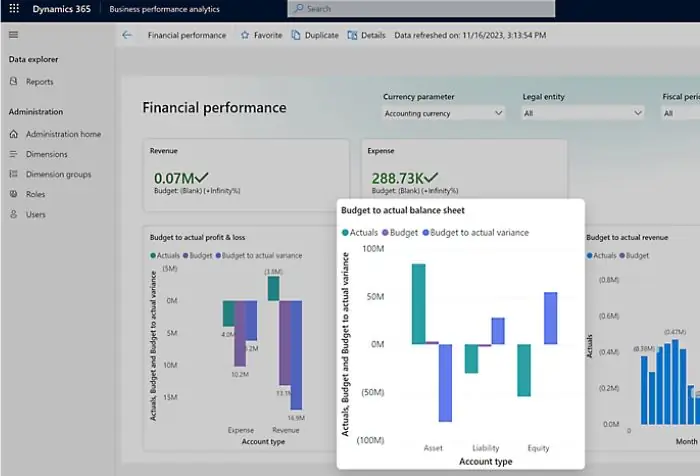
Supplier Portal Connected to the ERP
The problem: a national restaurant chain used operating time just to give suppliers information about purchases and payments.
The solution: we built a supplier portal connected to the ERP, where suppliers uploaded invoices, downloaded purchase orders and tracked their payments.
The result: the purchasing team's manual workload dropped, and suppliers got direct access to the information they needed.
View the full case →Why Integrate Your Systems With Blionsoft?
We analyze before we build
We don't integrate just because it's technically possible. We first define what information must flow and what problem we're solving.
Minimal intervention
When an integration solves the problem, we don't replace your systems. We intervene surgically.
Heterogeneous systems
Modern platforms and legacy apps — we connect them all with the right mechanism.
Support and monitoring
We keep the integration running after launch, with monitoring and support.
Frequently Asked Questions
Can you integrate my CRM with my ERP?
Yes. It's one of the most common integrations: quotes, orders or invoices can flow between the CRM and the ERP automatically, eliminating copy-paste and the errors it causes.
Can you integrate my CRM with QuickBooks?
Yes. Invoices, payments and customer records can sync between your CRM and QuickBooks without double entry, keeping sales and accounting consistent.
Can you integrate WhatsApp with my CRM?
Yes, depending on the mechanisms the platform and provider expose. We can centralize conversations and associate them with each client or prospect as tracked activities.
Can you integrate my CRM with my e-commerce store?
Yes. Customer and order information from your online store can connect to the CRM to improve follow-up and customer relationships.
Can you integrate an ERP that's more than 10 years old?
In most cases, yes. If you can access the database over the network, we can build an integration without major changes to the system.
What if my system doesn't have an API?
We evaluate other access mechanisms: databases, web services, files or custom connectors. In most cases a viable technical path exists.
Can you integrate information I currently manage in Excel?
Yes. We analyze how that information is generated and automate its entry into the right system.
Can you connect a system built in Visual FoxPro or Access?
Yes. We have experience connecting these legacy systems. Sometimes the integration is direct; sometimes it needs a small modernization.
Do I need to replace my ERP to integrate a CRM?
No. An integration or a complementary module usually solves the problem without replacing systems.
Can you integrate a CRM that your company didn't build?
Yes. It doesn't have to be a Blionsoft CRM. We evaluate the APIs and access mechanisms of the existing platform to find the right technical approach.
Need to Connect Your CRM?
Tell us what systems your company uses and what information needs to flow between them. We'll analyze your scenario and recommend the right integration approach.
Get a Free Integration Assessment